

An Overview: What is DLSS and How Does it Work to Benefit Gamers?





Ad Spot Availabe




(hr)
One of the most frustrating experiences for every gamer is using a PC that lacks better visuals and higher frame rates. Previously, most PC gaming machines had limited visuals and lower frame rates due to the lack of powerful graphics cards, but this era is completely changing with the pursuit of hardware that has pushed the boundaries and meets high-fidelity gaming.
One company that is at the forefront of such innovation is (b)(link=https://jobserver.ai/company?id=20)NVIDIA(/link)(/b), which has introduced a paradigm shift with deep learning super sampling, also known as DLSS. This method of producing better visuals and higher frame rates holds potential in a fundamental rethinking of how to render games on PC gaming machines.
But the most important question is, what exactly is this technology, and how does it genuinely benefit gaming? This article breaks it all down.
(img=aduploads/image/dlss 1.jpg)NVIDIA’s DLSS is revolutionizing gaming experience(/img)
(hr)
(h2)What is DLSS?(/h2)
In a very simple and basic way, DLSS refers to the AI-powered graphics technology developed by (b)(link=https://jobserver.ai/company?id=20)NVIDIA(/link)(/b) to boost game performance without significantly compromising image quality. As an added advantage, in most cases, the compromise even leads to an improvement in performance for users.
To use a practical demonstration, DLSS, for example, allows the GPU to render the game at a much lower resolution, such as 1080p, instead of rendering every single pixel at the monitor’s native resolution, for example 4K. What the system then does is intelligently reconstruct the image back up to your target resolution and refill any missing details with accuracy and precision. It is also worth noting that the system uses dedicated AI processes on NVIDIA’s RTX graphics cards, usually called tensor cores.
(hr)
(h2)So how does it work?(/h2)
Now to the most important question: how does DLSS actually work? Well, the answer is quite simple. What we currently have in DLSS is several years of deep (b)(link=https://www.forbes.com/sites/marcochiappetta/2020/03/29/nvidias-deep-learning-super-sampling-dlss-20-technology-is-the-real-deal/)neural network training(/link)(/b) on monstrous datasets. In order to create DLSS, NVIDIA basically trained most of its AI model on thousands of incredibly high-resolution super-sample images from various games. The implication of this is that DLSS effectively knows what a perfect native-resolution image should look like.
Enough of the theory, now let’s look at the four ways in which DLSS actually works in practical situations. The first step is the game engine rendering a frame at a lower internal resolution, called a render resolution. Then it progresses to the motion data capture. This is where the engine simultaneously provides DLSS with crucial data like motion vectors. These motion vectors track the direction and speed of every object in the scene from one frame to the next.
Essentially, this movement helps the AI predict where edges and details will be, thereby reducing motion artifacts. The next stage is called AI reconstruction. Based on the low-resolution frame produced in the first step, the motion data are sent to the tensor cores mentioned previously.
Based on the trained AI network, an analysis is done of that particular frame, and the reconstruction using its knowledge adds precise detail and sharpness to match or even surpass what a native-resolution image would naturally look like. The result, which is the last step, is an AI output, a clean, high-resolution frame on your monitor, achieved within a fraction of the time it would have taken to render natively.
(img=aduploads/image/dlss 2.jpg)There is a magical process behind the DLSS image rendering(/img)
(hr)
(h2)Different modes of mastery(/h2)
A key point to note when it comes to DLSS is that it offers a spectrum of modes allowing gamers to choose their preferred balance between performance and image quality. There are four different modes of mastery when it comes to DLSS: quality mode, balanced mode, performance mode, and ultra performance mode. Quality mode is the basic level among the four and prioritizes image fidelity. While performance is usually modest, the image remains better than native rendering.
The second mode is balanced mode, which strikes a perfect middle ground between the extra performance of performance mode and the superior image quality of quality mode. Performance mode prioritizes higher frame rates and rendering at a lower internal resolution. This makes it ideal for competitive gamers or those targeting higher refresh rates while playing games.
The last and most important mode is ultra performance mode, primarily designed for 8K gaming. This mode provides the largest performance boost and renders at the lowest internal resolution, making 8K gaming a reality on modern GPUs.
(hr)
(h2)So what then is the benefit over native rendering?(/h2)
In order to truly comprehend the benefits of DLSS for gamers, it has to be compared to native rendering. For example, in its quality mode, DLSS often produces an image that is superior to native rendering.
Simply put, while native rendering images can suffer from temporary imperfections such as shimmering on fine details and aliasing on edges, DLSS AI specifically recognizes and smooths out these imperfections. It reconstructs more stable images with better clarity and effectively acts as a superior, advanced anti-aliasing solution. This process also makes games run faster and better.
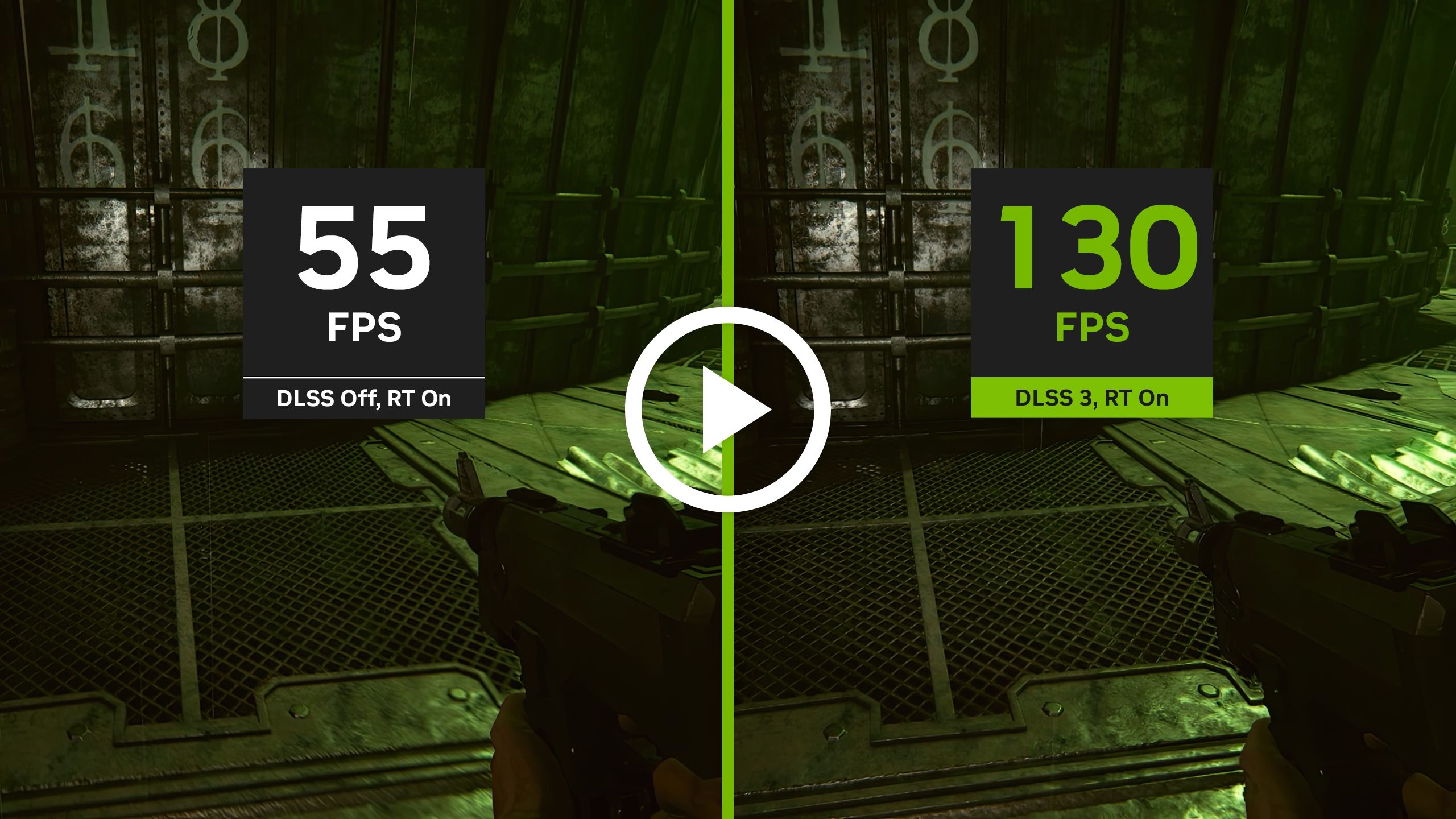
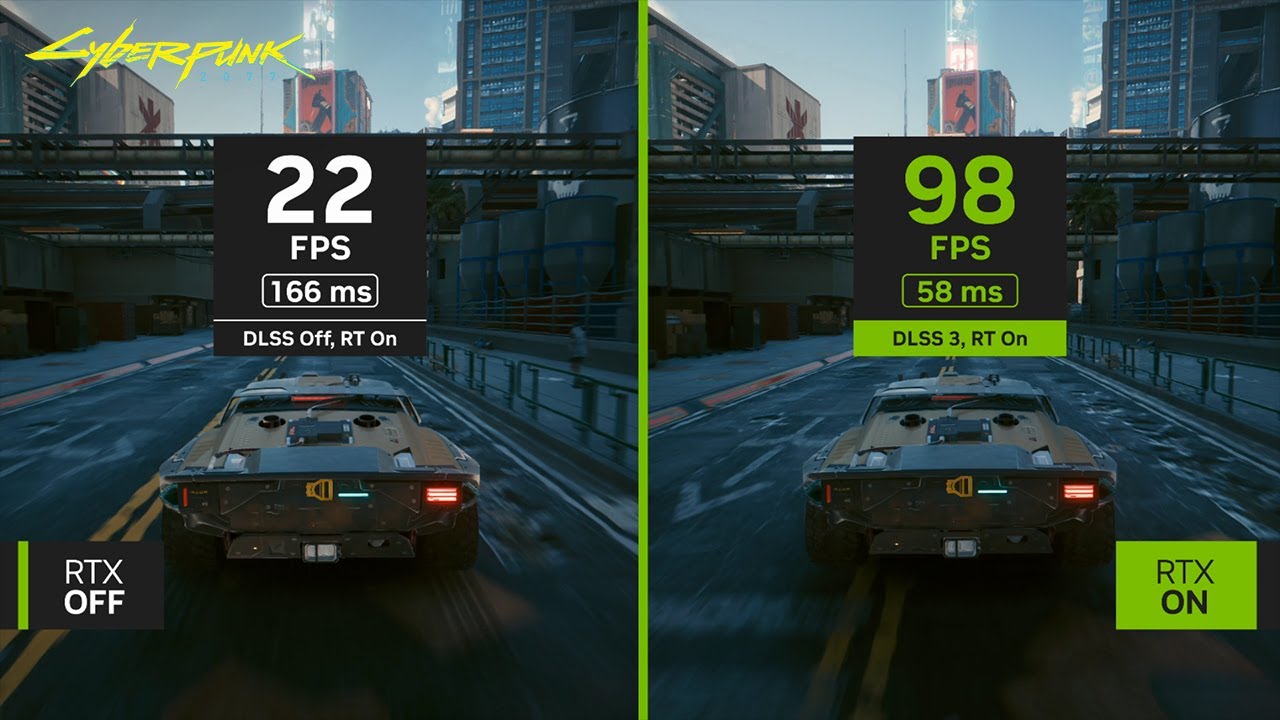
Another key benefit is the significant increase in frames per second while gaming. This is achieved because DLSS renders fewer pixels natively and lets the efficient AI handle upscaling, which significantly reduces the GPU’s workload on traditional shader cores and frees it to work on other tasks.
The practical outcome is that even if you max out your game’s graphic settings or enable extensive ray tracing effects, you can still enjoy smooth, playable frame rates that would otherwise be impossible on your hardware.
(hr)


Category:
Announcement
Region:
North America
Author:
blog@Jobserver.ai
Ad link: