
How Developers Can Scale Web Apps with GitHub Copilot and AWS AI Services





Ad Spot Availabe




(hr)
The demand for high-performance web applications continues to intensify, placing immense pressure on development teams to deliver features rapidly without compromising on quality or user experience. Traditional coding practices often involve repetitive boilerplate code, manual debugging, and complex infrastructure configuration, all of which slow down the development lifecycle. This bottleneck can lead to missed deadlines and an inability to respond quickly to market changes.
Modern tools are fundamentally changing this dynamic by introducing artificial intelligence and cloud automation into the developer's workflow. According to the documentation for (b)(link=https://code.visualstudio.com/docs/copilot/overview)Visual Studio Code(/link)(/b), #GitHubCopilot is an AI-powered coding assistant that provides suggestions and automated implementations based on natural language prompts. When this capability is integrated with the scalable power of #AWSServices, developers gain an unparalleled advantage in speed and efficiency.
The focus of this article will detail five key strategies for leveraging these tools to build faster.
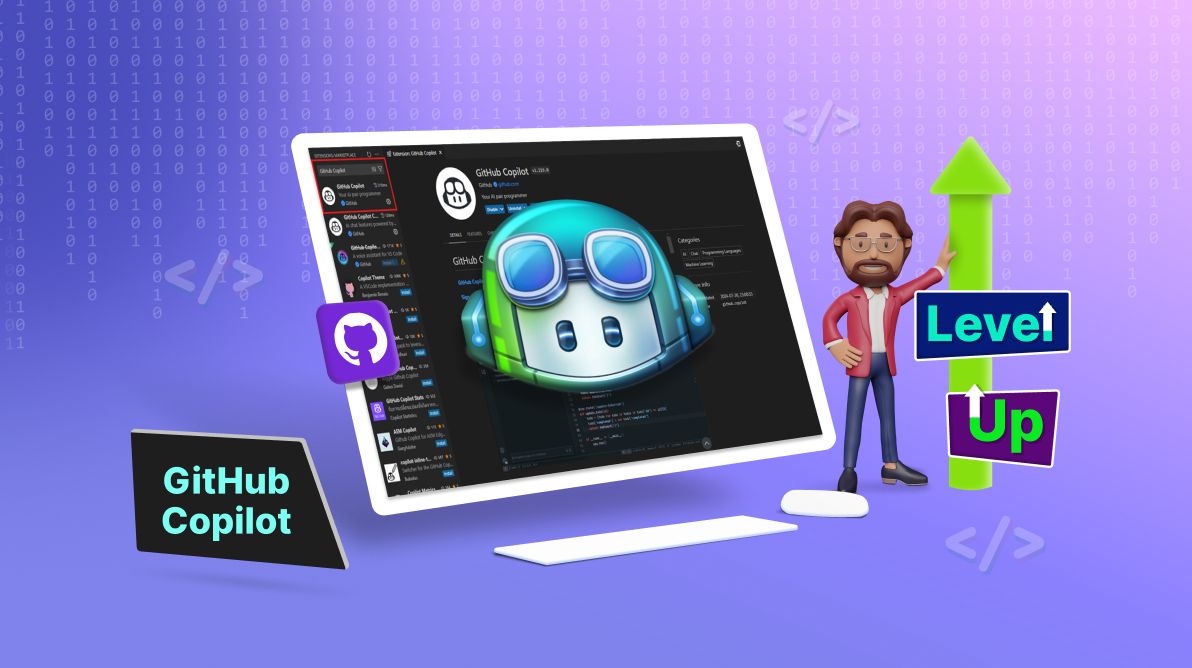
(img=aduploads/image/copilot new1.png)AI-assisted coding accelerates development by automating repetitive tasks and suggesting code snippets(/img)
(hr)
(h2)Accelerating Development with AI-Powered Code Completion(/h2)
The most immediate impact of using GitHub Copilot is the drastic reduction in time spent writing routine code. The tool functions as an advanced autocomplete system that understands context and can generate entire functions, classes, or unit tests from simple comments or existing code structures. This allows developers to maintain their flow state and focus on solving complex architectural problems rather than syntax.
For a developer working on a new feature, describing the logic in a comment can often prompt Copilot to provide a fully functional code block. This is particularly effective for common tasks like API endpoint creation, data validation rules, or database query functions. The ability to generate accurate code snippets on demand eliminates the need to constantly reference documentation or search for examples online.
This acceleration directly translates to faster development cycles and earlier deployment windows. Teams can iterate on prototypes and new ideas with incredible speed, testing concepts that would have previously taken days in a matter of hours. The efficiency gain allows (b)(link=https://jobserver.ai/company?id=26)Amazon AWS(/link)(/b) developers to allocate more time to performance optimization and user experience refinement.
(hr)
(h2)Streamlining Infrastructure with AWS CDK and Copilot(/h2)
Provisioning cloud infrastructure has traditionally required deep knowledge of configuration files and services, creating a steep learning curve and potential for error. This challenge is solved by using Infrastructure as Code (IaC) tools like AWS Cloud Development Kit (CDK) in conjunction with GitHub Copilot. Developers can define their application's cloud resources using familiar programming languages.
GitHub Copilot can assist in writing CDK code, suggesting the necessary constructs to create S3 buckets, Lambda functions, API Gateway routes, and DynamoDB tables. A developer can simply start typing a description of the needed resource, and Copilot will offer the correct code structure. This ensures infrastructure is provisioned consistently and programmatically, right alongside the application code.
This approach eliminates the context switching between writing code and manually configuring services in the AWS Management Console. The entire application, including its infrastructure, becomes defined in code, which can be version-controlled, reviewed, and deployed automatically. This integration is a cornerstone of modern #DevOps practices and is essential for achieving rapid and reliable deployment cycles.
(hr)
(h2)Automating Testing and Debugging Processes(/h2)
Writing comprehensive tests is critical for application stability but is often a time-consuming manual process. GitHub Copilot can significantly accelerate this by generating unit tests, integration tests, and mock data based on the existing application code. In analyzing a function's parameters and expected output, it can draft test cases that cover various scenarios, including edge cases.
This automation ensures a robust test suite is created in parallel with feature development, not as an afterthought. When combined with AWS services like CodeBuild, teams can set up continuous integration pipelines that automatically run these tests on every code commit. This provides immediate feedback to developers if a change introduces a regression, allowing for quick fixes.
Furthermore, when errors occur in deployment, AWS CloudWatch and X-Ray provide detailed logging and tracing capabilities. Copilot can even assist in writing diagnostic code or parsing log outputs to help identify the root cause of issues faster. This reduces mean time to resolution (MTTR) and keeps the development velocity high by minimizing downtime and debugging headaches.
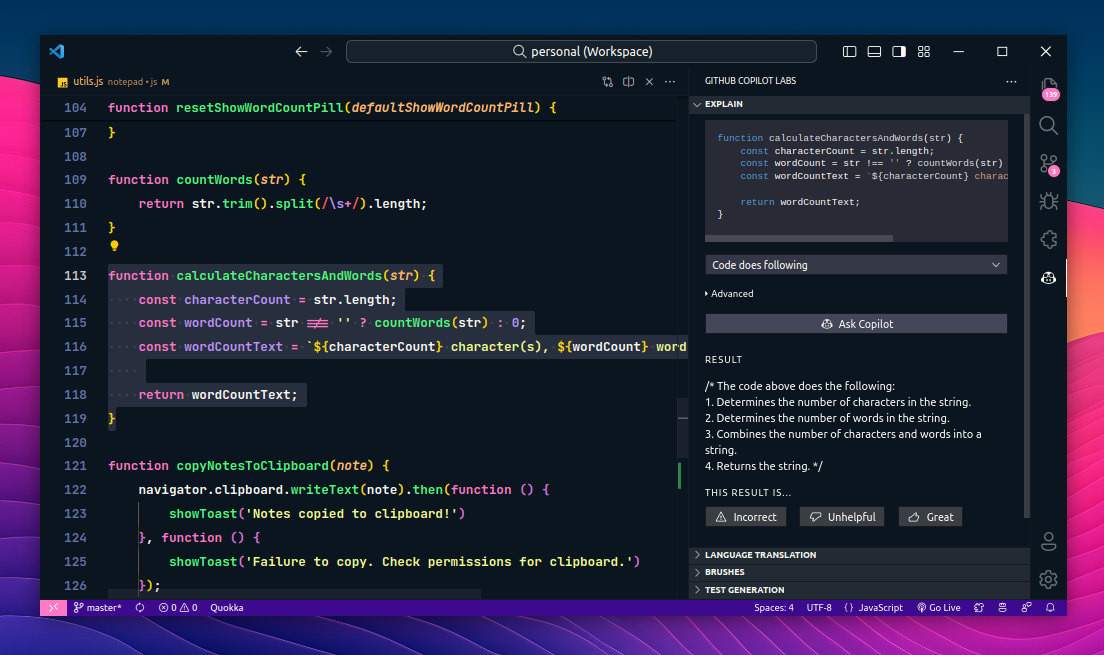
(img=aduploads/image/copilot new 2.png)Automated testing pipelines ensure code quality and stability throughout the development process(/img)
(hr)
(h2)Optimizing Performance with AWS Serverless Architectures(/h2)
Application performance is a key factor in user retention and satisfaction. Leveraging AWS serverless services like AWS Lambda and Amazon API Gateway allows developers to build highly scalable applications without managing servers. GitHub Copilot aids this process by helping write efficient, stateless functions and configuring services for optimal performance.
Copilot can suggest code patterns that minimize cold starts in Lambda functions or efficient connection pooling for Amazon DynamoDB. It can also assist in writing code that takes advantage of AWS's global infrastructure, such as using Amazon CloudFront for content delivery. This guidance helps developers avoid common pitfalls and build applications that are fast and responsive from the start.
The serverless model inherently promotes a faster development pace because developers are freed from capacity planning and server maintenance. They can deploy code instantly and scale automatically to meet user demand, ensuring the application remains performant under load without any manual intervention. This allows teams to focus exclusively on writing business logic.
(hr)
(h2)Implementing Continuous Deployment Pipelines(/h2)
The final step in achieving rapid development is automating the deployment process itself. Manual deployments are slow, error-prone, and create bottlenecks. AWS CodePipeline and CodeDeploy can be configured to create a fully automated CI/CD pipeline that builds, tests, and deploys code every time a change is merged into the main branch.
GitHub Copilot can help write the build specification files (buildspec.yml) and pipeline configuration code needed to set this up. It can suggest commands for installing dependencies, running test suites, and deploying artifacts to various AWS environments. Automating this process ensures that new features and bug fixes can be released to users quickly and safely.
This practice of continuous deployment reduces the risk associated with releases by making them smaller and more frequent. It creates a streamlined path from code completion to production, which is the ultimate goal for building web applications faster. This automated workflow is a critical competitive advantage in today's fast-paced digital landscape.


Category:
Other
Region:
North America
Author:
blog@Jobserver.ai
Ad link: